ActionFeaturedNew
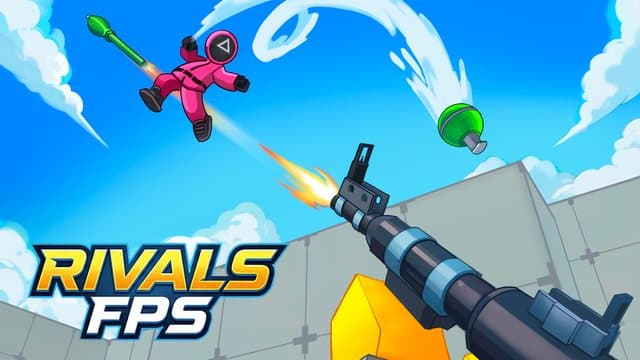
RIVALS FPS: Online Shooter
Experience dynamic first-person shooting in RIVALS FPS: Online Shooter.
Hosted by playgama.com
Embedded from playgama.com in a sandboxed frame.
About RIVALS FPS: Online Shooter
Experience dynamic first-person shooting in RIVALS FPS: Online Shooter. Join competitive arena battles for free online on your desktop, Android, or iOS device. Play free in your browser, no download needed, on desktop, phone or tablet.
How to play RIVALS FPS: Online Shooter
- Press the Play button above. The game loads in seconds, with nothing to install.
- Keyboard and mouse on desktop (WASD or arrow keys to move, mouse to aim and click to act). Touch controls on phones and tablets. Follow the in-game instructions for anything game-specific.
- On a phone or tablet, tap Play to open the game full screen and turn your device sideways for the best view.
- Your best scores and progress are saved on this device, so you can come back any time.
RIVALS FPS: Online Shooter FAQ
- Is RIVALS FPS: Online Shooter free to play?
- Yes. RIVALS FPS: Online Shooter is completely free on Drift Cart Games, with no sign-up and no purchase.
- Can I play RIVALS FPS: Online Shooter on mobile?
- Yes. It runs in the browser on phones and tablets as well as desktop. Tap Play and it opens full screen in landscape.
- What are the controls for RIVALS FPS: Online Shooter?
- Keyboard and mouse on desktop (WASD or arrow keys to move, mouse to aim and click to act). Touch controls on phones and tablets. Follow the in-game instructions for anything game-specific.
- What kind of game is RIVALS FPS: Online Shooter?
- RIVALS FPS: Online Shooter is a action game tagged action, multiplayer, first-person-shooter, shooting, endless. Experience dynamic first-person shooting in RIVALS FPS: Online Shooter.